
SQL Server Data Explorer – Browse & Query Data Without SQL
The Sirkel Data Explorer allows you to browse SQL Server tables, view data instantly, and execute queries without writing complex SQL. It is designed for data analysts, IT professionals, and business users who need fast access to structured data.
As part of the SQL Server Data Search, Export & Documentation Tool, the Data Explorer helps you quickly navigate through your database and extract meaningful insights.

What is a SQL Server Data Explorer
A SQL Server Data Explorer is a tool that enables users to:
- Browse database tables
- View and filter data
- Execute SQL queries
- Export results
- Understand data structures without deep technical knowledge
With Sirkel Data Explorer, you can interact with your SQL Server databases in a fast, intuitive, and user-friendly way.
Key Features
- Browse tables and views
Quickly navigate through all available tables in your SQL Server database. - Instant data preview
View data in a structured grid without writing SQL queries. - Execute SQL queries
Run custom SQL queries and instantly see results. - Search and filter data
Easily find specific records using built-in search functionality. - Export data
Export your data to formats such as Excel, CSV, PDF, and more. - Copy SQL queries
Generate and copy SQL queries for reuse or sharing.
How It Works
- Connect to your SQL Server database
- Select a table from the list
- View the data instantly in the grid
- Apply filters or execute SQL queries
- Export or copy your results
Toolbar overview
The Data Explorer toolbar provides quick access to essential features:
- Print preview of grid content
- Search panel for filtering visible columns
- Show or hide grid elements (headers, group panel, preview)
- Export data to multiple formats (PDF, XLS, CSV, DOCX, etc.)
- Close the window
| Option - Action | Meaning |
 | Print preview of the content from the grd. |
 | The grid can display a find panel that enables users to search for keywords in visible columns. |
 | display header |
 | Sets a value indicating whether the group panel is visible. |
 | Sets a value that indicates whether the driving indicator panel is displayed. |
 | Sets a value that indicates whether preview sections are displayed. |
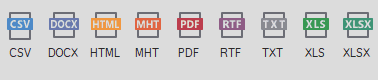 | You can export the grid to various formats: PDF, XLS, XLSX, RTF, CSV, DOCX, TXT, HTML, MHT |
 | Closing the window. |
Data Explorer Form Content
On the left is a list of all tables of the chosen the database. When you click on a table, you see the results of the data shown in the grid. Above the data, you'll see the columns of the particular table.

View the SQL Query and execute it.
If you wish to edit a certain value, you will find a text field at the bottom with the SQL query that you can execute the query. You have the possibility to copy the SQL query to the clipboard.

Data Explorer in the Sirkel Ecosystem
The Data Explorer is part of a complete toolkit for working with SQL Server data:
- First, set up your database connection using the Database Connection module
- Then, explore your data with the Data Explorer
- Next, export your results using the Data Export Wizard
- You can also generate full database documentation with the Documentor (DDL & DML)
- For advanced needs, analyze your data or generate SQL definitions and exports
Use Cases
- Data analysts exploring datasets quickly
- IT teams validating and troubleshooting data
- Business users accessing data without SQL knowledge
- Consultants generating insights for clients
Why Use Sirkel Data Explorer
- No advanced SQL knowledge required
- Fast and intuitive interface
- Seamless integration with export and documentation tools
- Ideal for both technical and non-technical users
FAQ
What is a SQL Server Data Explorer?
A SQL Server Data Explorer is a tool that allows users to browse, query, and analyze data stored in SQL Server databases without needing advanced SQL skills.
Can I use the Data Explorer without SQL knowledge?
Yes, the Sirkel Data Explorer is designed for both technical and non-technical users. You can browse and filter data without writing SQL.
Can I export data from SQL Server?
Yes, you can export data to multiple formats such as Excel, CSV, PDF, and more using the integrated export functionality.
Is it possible to run SQL queries?
Yes, advanced users can execute SQL queries and view results instantly within the tool.
