
SQL Server Generate Definition and Export
Automatically Generate SQL Scripts from Existing Data
Sirkel Generate Definition and Export allows you to quickly create SQL scripts based on existing database tables and their data. This feature is designed to simplify database migration, documentation, and data replication by generating structured SQL statements directly from your selected tables.
With just a few clicks, you can generate CREATE, INSERT, or UPDATE scripts tailored to your needs.
Key Features
- Generate table definitions (DDL) automatically
- Create INSERT or UPDATE statements (DML)
- Export scripts directly to file
- Include conditional logic (record exists or not)
- Control identity columns and counters
- Preview and edit scripts before execution
How It Works
1. Select a Table
Choose any table from your database schema. Sirkel reads the structure and existing data automatically.
2. Choose Output File
Define the destination SQL file or create a new one.
3. Configure Options
You can fine-tune how the SQL is generated:
- Table Definition
Generates a fullCREATE TABLEscript. - Insert Statements
CreatesINSERT INTOstatements for all selected records. - Update Statements
GeneratesUPDATEstatements instead of inserts. - Use Insert Counts / Update Counts
Adds counters to track affected rows. - Check if Record Exists
Adds logic to prevent duplicates usingIF EXISTS. - Begin / End for Each Statement
Wraps each statement inBEGIN ... ENDblocks. - Set Identity Insert ON/OFF
Allows inserting values into identity columns. - Open Internal Editor
Preview and manually adjust generated SQL.

Generate Definition and Export: selection and options
| Option / Selection | Meaning | Action |
|---|---|---|
 | You can choose a table with schema from a list of all tables in the database. | |
 | Here you have the option to create or select a file. | |
 | This creates a structured SQL statement. | DROP TABLE Person ... CREATE TABLE [Person].[Person] ... |
 | Choice between Insert or Update statement. | INSERT INTO ... UPDATE... |
 | Choice if you want to keep a counter. | SET @InsertCnt = @InsertCnt + 1 SET @UpdateCnt = @UpdateCnt + 1 |
 | Check whether record exists or not. | SELECT @count = COUNT(*) FROM [Person.Person] WHERE ... IF @count = 0 |
 | Start and end for each statement either an Insert or an Update. | BEGIN END |
 | SET IDENTITY_INSERT Person.Person ... | |
 | See the example below. |
Example Use Cases
Database Migration
Export table structure and data to recreate environments quickly.
Data Backup or Transfer
Generate scripts to move data between databases safely.
Development & Testing
Populate test environments with realistic data.
Documentation
Create readable SQL scripts that reflect actual database content.
Generated Output
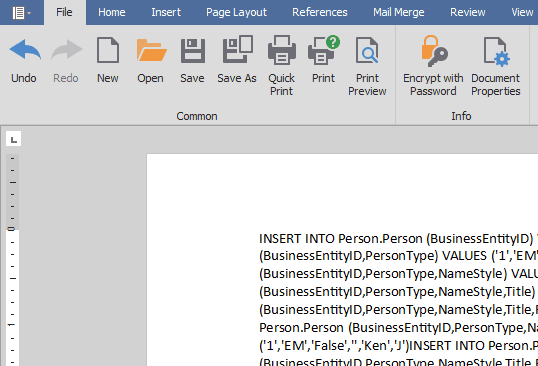
After execution, the result is available in the internal editor or saved as a .sql file.
Typical output includes:
CREATE TABLEstatementsINSERT INTOstatements- Conditional
IF EXISTSlogic - Structured and readable SQL blocks
Why Use Sirkel Generate Definition and Export?
- Saves hours of manual scripting
- Reduces errors in data migration
- Provides full control over SQL generation
- Works seamlessly with SQL Server environments
