
SQL Server Triggers, Views, Stored Procedures & Functions
Explore and Document All SQL Server Database Objects
Sirkel Triggers, Views, Stored Procedures & Functions gives you a complete overview of all important SQL Server database objects in one structured interface. Easily browse, analyze, and document your database logic without writing queries manually.
This tool is essential for developers, analysts, and database administrators who need full visibility into database behavior and logic.
What Does This Feature Do?
Centralizes all database objects in one view
- Displays all Triggers, Views, Stored Procedures, and Functions
- Shows detailed definitions and metadata
- Allows quick inspection of database logic
- Provides export and documentation capabilities
Triggers
Triggers are automatically executed SQL statements when specific events occur (INSERT, UPDATE, DELETE).
With Sirkel you can:
- View trigger names and linked tables
- Identify trigger events and timing
- Inspect full trigger definitions
- Understand database automation logic

List columns and description in the grid:
| Column | Meaning |
|---|---|
| Trigger_name | Name of the trigger. |
| Table | Which table does this trigger affect. |
| Activation | At what time does this trigger run. |
| Event | DML triggers are executed when a user attempts to modify data through a Data Manipulation Language (DML) event. DML events are INSERT, UPDATE, or DELETE statements on a table or view. |
| Class | DML (Data Modification Language) triggers. This is the most commonly used class of triggers. In this case, the trigger event is a data change statement; it can be an insert, update, or delete statement, either in a table or in a view. |
| Type | There are three types of triggers: Data Manipulation Language (DML) triggers Data Definition Language (DDL) triggers Login triggers. |
| Status | Deactivated or active. |
| Definition | Trigger source code. When you click on the icon on the right, following form will be shown: You will see the full detail. You will have the option to copy it to the clipboard. |
Views
Views are virtual tables based on SQL queries.
With Sirkel you can:
- See how views are constructed
- Analyze underlying queries
- Review creation dates and metadata
- Copy full SQL definitions

| Column | Meaning |
|---|---|
| View_name | Name of the view |
| Created | When was the view created. |
| Modified | When was the view modified. |
| Definition | Source code of the view. When you click on the icon on the right, following form will be shown: You will see the full detail. You will have the option to copy it to the clipboard. |
Stored Procedures
Stored procedures are reusable SQL scripts stored in the database.
With Sirkel you can:
- Browse all procedures quickly
- Inspect parameters and logic
- View full SQL code
- Understand business logic implementation

The list will show the following columns in the grid and giving an overview of all procedures defined in the database:
| Column | Meaning |
|---|---|
| Stored_procedure | Name of the procedure. |
| Created | When was the procedure created. |
| Modified | When was the procedure changed. |
| Definition | Source code of the procedure. When you click on the icon on the right, following form will be shown: You will see the full detail.  You will have the option to copy it to the clipboard. |
Functions
Functions return values and can be used inside queries.
With Sirkel you can:
- Explore scalar and table-valued functions
- Review logic and return types
- Analyze how functions are used in queries

List columns and description in the grid:
| Column | Meaning |
|---|---|
| Function_name | Name of the function. |
| Created | When was the job created. |
| Modified | When was the feature changed. |
| Definition | Source code of the function. When you click on the icon on the right, following form will be shown: You will see the full detail.  You will have the option to copy it to the clipboard. |
Toolbar in all forms for Triggers, Views, Stored Procedures & Functions
| Option - Action | Meaning |
 | Print preview of the content from the grd. |
 | The grid can display a find panel that enables users to search for keywords in visible columns. |
 | display header |
 | Sets a value indicating whether the group panel is visible. |
 | Sets a value that indicates whether the driving indicator panel is displayed. |
 | Sets a value that indicates whether preview sections are displayed. |
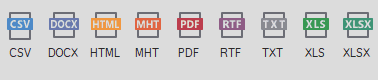 | You can export the grid to various formats: PDF, XLS, XLSX, RTF, CSV, DOCX, TXT, HTML, MHT |
 | Closing the window. |
Key Features
- Unified overview of all database objects
- Grid-based interface with detailed columns
- Full SQL definition preview
- Copy to clipboard functionality
- Export options for documentation
- Fast navigation between object types
Use Cases
Database Documentation
Quickly generate insights into all database logic for documentation purposes.
Development & Maintenance
Understand existing logic before making changes.
Troubleshooting
Identify triggers, procedures, or functions affecting data behavior.
Onboarding
Help new developers understand database structure faster.
Results and Interface
- Clear grid showing object metadata
- Detailed SQL definitions available per object
- Easy navigation between Triggers, Views, Procedures, and Functions
- Consistent interface across all object types
Why Use Sirkel for Database Object Exploration?
- No need to write system queries
- Immediate visibility into database logic
- Saves time in analysis and debugging
- Improves documentation and maintainability
- Designed specifically for SQL Server environments
